Configuration
Das site configuration
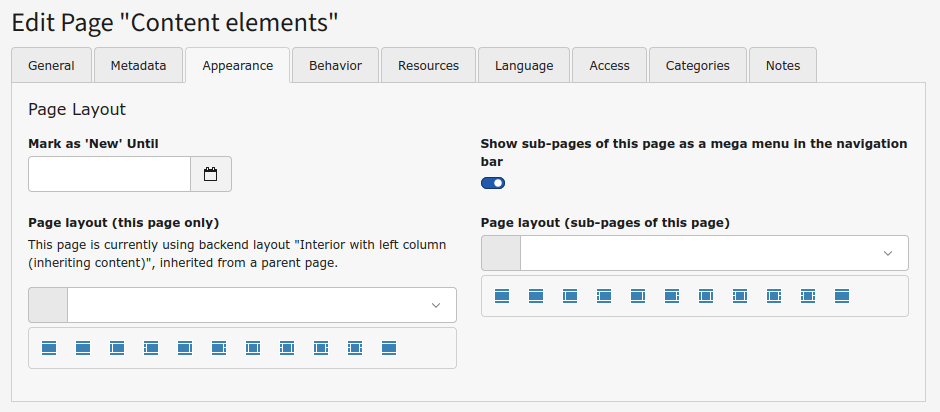
The site configuration can easily be done in the Das: site configuration tab, which only appears in root site pages. It has these fields:
- Logo: to set the logo to be shown in the header
- Theme: to set the theme to light or dark mode or auto, so the theme applied is the one of the user's device
- Number of navigation levels to show: for the header navigation bar, how many (up to two) levels of sub-pages have to be shown
- Search page: to show the search box in the header if the extension Indexed search is installed, by setting the page that contains the search results
- Structured data: to choose which kind of structured data to use: JSON-LD, Microdata or RDFa
- Show language selector: to show, well, the language selector in the header
- Show breadcrumb: to enable the breadcrumb, to be shown before or after the Featured content area
- Breadcrumb items separator: to set the character to be used as item separator in the breadcrumb
- Google Maps key: Google Maps key to be used by the Google map content element
- Watermark: a palette to configure a watermark to be shown in the images of the Text & Media content elements, with the image to be used and its position, size and opacity. It has to be enabled on each Text & Media content element
These fields can be disabled via TSConfig if we don't want to give so much freedom to editors.
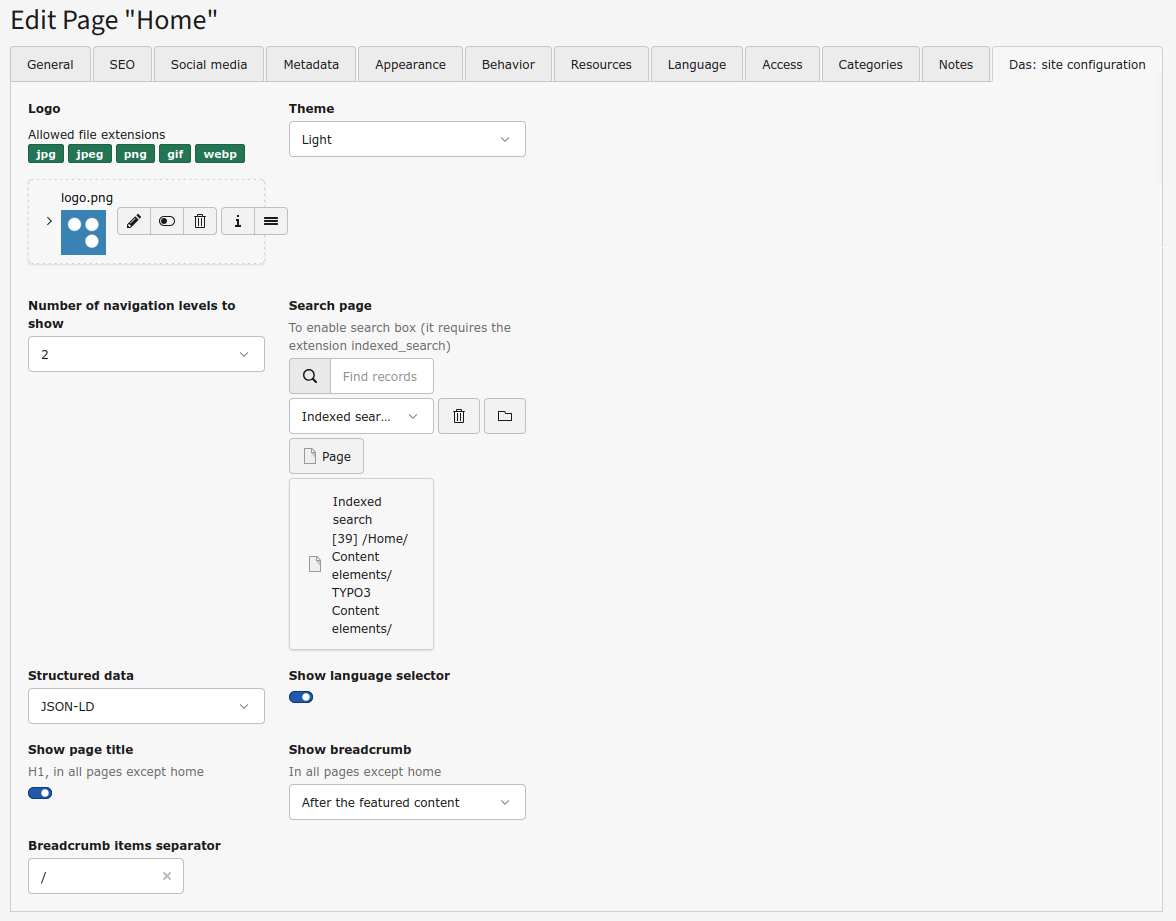
Additionally, a new field Show sub-pages of this page as a mega menu in the navigation bar has been added to the pages, so pages that are in the first navigation level can have its sub-pages shown in a mega menu in the navigation bar.